
This post has already been read 4121 times!
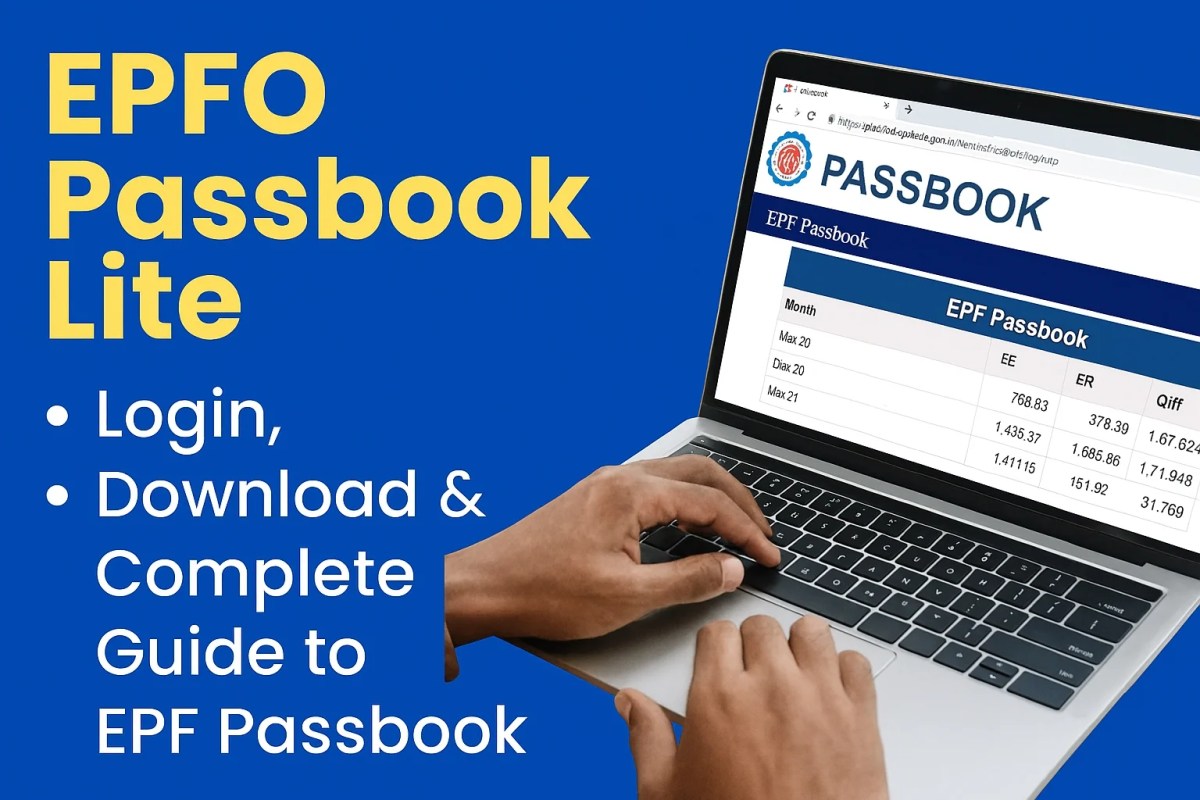
EPFO Passbook Lite — Complete Login, Download & Interpretation Guide (2025)
A step-by-step, student-friendly and professional walkthrough to check, download and understand your EPF passbook in India.

- How to access EPFO Passbook Lite (browser & mobile)
- How to download and save passbook PDFs
- How to read entries: EE, ER, EPS, interest and balance
- Troubleshooting, case studies, withdrawal/transfer notes and 30+ FAQs
Introduction — Why EPFO Passbook Lite matters
The Employees’ Provident Fund Organisation (EPFO) manages a primary retirement corpus for millions of Indian employees. The EPF passbook is the official digital record of contributions and interest. To make balance-checking fast and convenient, EPFO offers Passbook Lite — a mobile-friendly, low-data view that lets members quickly verify contributions and download their passbook as a PDF.
This guide is a single, extensive resource for employees, students entering jobs, payroll teams, HR professionals, and tax filers. It is intentionally simple, with practical examples, tables and step-by-step instructions.
TL;DR — Quick steps
- Open passbook.epfindia.gov.in
- Login with UAN + password → solve CAPTCHA → choose Member ID
- View balance → click download to save PDF (no password needed)
Also available via UMANG / m-Passbook on mobile (Aadhaar-seeded UAN recommended).
1. What is EPFO Passbook Lite?
EPFO Passbook Lite is a simplified, fast-loading version of the EPF passbook intended for quick balance checks. While the full passbook provides a complete transaction history (including EPS and EDLI details), Passbook Lite focuses on the essential — employee contributions (EE), employer contributions (ER), interest and total balance.
Passbook Lite is ideal when you need to verify your PF balance on the go, download a lightweight PDF for documentation, or check contributions across multiple member IDs under one UAN.
Who should use Passbook Lite?
- Working professionals who want a quick balance check
- New employees verifying the first contributions
- Students checking EPF after joining a job
- HR teams validating employee contribution reports

2. Key features — what Passbook Lite shows
| Feature | What it means | When to use |
|---|---|---|
| Fast load | Optimized for mobile & low-data | Quick checks on phone |
| Multiple Member IDs | View more than one PF account under same UAN | Employees with prior PF accounts |
| PDF download | Save official passbook file for records | Apply for loans, tax filing |
| No PDF password | File opens without a default password | Easier sharing with banks/HR |
3. How to login to EPFO Passbook Lite (Browser) — step-by-step
Follow these steps to sign in and view your Passbook Lite using a desktop or mobile browser.
- Open the Passbook Lite portal: https://passbook.epfindia.gov.in
- Enter UAN and password: Use your UAN (Universal Account Number) and the password you use on the Unified Member Portal. If you haven’t activated your UAN, activate it first via the Unified Portal: EPFO Unified Member Portal.
- Solve CAPTCHA and click Login.
- Select Member ID (if multiple accounts are linked to your UAN).
- View passbook: The page will display contributions, interest and balance. Use the Download button to save a PDF.
- Forgot password? Reset via the Unified Member Portal’s Forgot Password option.
- UAN not working? Ensure you have activated it and your KYC (Aadhaar/PAN) is updated.
- CAPTCHA not loading? Clear browser cache or try another browser.

4. How to download EPF passbook PDF & print
After you view the passbook on the portal, you can download it as a PDF. The file contains your membership details and contribution summary.
- Click the Download button on the passbook screen.
- Save the PDF to a secure folder on your device (recommended name:
EPF_Passbook_UAN_YYYY-MM.pdf). - Open the file to verify details. There is no default PDF password; it opens normally.
- Use your PDF to provide proof to banks, employers or for tax filing.
5. Access via UMANG & m-Passbook (Mobile)
EPFO services, including m-Passbook, are available through the UMANG app (Unified Mobile Application for New-age Governance). UMANG integrates multiple government services making it convenient to check PF on mobile.
Steps to use UMANG / m-Passbook
- Install the UMANG app from Google Play or Apple App Store, or use the UMANG web portal: web.umang.gov.in.
- Open UMANG → Search for EPFO services → Choose m-Passbook.
- Login using Aadhaar-seeded UAN credentials or follow the app instructions to authenticate.
- View and download passbook PDF on your phone.

Note: For UMANG, having your UAN seeded with Aadhaar makes several actions smoother (KYC updates and verification).
6. How to read and understand passbook entries
The passbook contains a table of entries. Below are the common columns and how to interpret them:
- Date: Date of contribution or interest credit.
- Wages: Basic wages (and dearness allowance if applicable) on which contributions were made.
- Employee Share (EE): Usually 12% of wages (employee contribution).
- Employer Share (ER): Employer contribution — split between EPF and EPS; EPF component ≈ 3.67% and EPS 8.33% of wages (subject to statutory rules).
- Interest: Interest credited annually by EPFO.
- Balance: Cumulative EPF balance after each credit.
Worked example — 5 year projection (simplified)
Assumptions (simplified for illustration): Basic salary = ₹25,000/month. Employee share = 12%. Employer share to EPF = 3.67% (approx). Interest = 8% per annum (assumption for example only).
| Year | Basic (annual) | Employee (12%) | Employer (3.67%) | Interest (approx) | Closing Balance (approx) |
|---|---|---|---|---|---|
| Year 1 | ₹300,000 | ₹36,000 | ₹11,010 | ₹3,000 | ₹50,010 |
| Year 2 | ₹300,000 | ₹36,000 | ₹11,010 | ₹8,001 | ₹105,021 |
| Year 3 | ₹300,000 | ₹36,000 | ₹11,010 | ₹16,801 | ₹168,832 |
| Year 4 | ₹300,000 | ₹36,000 | ₹11,010 | ₹26,906 | ₹242,748 |
| Year 5 | ₹300,000 | ₹36,000 | ₹11,010 | ₹38,820 | ₹328,578 |
This table is illustrative. Actual employer share distribution and interest rates vary. Use the passbook values for exact figures.
7. Difference — Full EPF Passbook vs Passbook Lite
| Aspect | Full EPF Passbook | Passbook Lite |
|---|---|---|
| Data depth | Complete transaction history, EPS and EDLI details | Concise summary of contributions and balance |
| Load time | May be slower on mobile | Fast, mobile-optimized |
| Use-case | Detailed audits, loan proofs, tax | Quick checks, mobile balance verification |
8. Benefits of checking your EPF passbook regularly
- Detect missed employer contributions: Confirm monthly deposits are reflected.
- Track interest credits: Ensure year-end interest is posted.
- Plan finances: Use the corpus for retirement planning or partial withdrawals (as eligible).
- Evidence for loans: Lenders often accept passbook PDFs for loan approval.
- Maintain records: Archive passbook PDFs annually for audit and tax purposes.
9. Common problems & troubleshooting
Here are the most common issues and solutions:
Login failed or invalid credentials
- Reset your password via the Unified Member Portal (official).
- Ensure UAN activation and that your mobile number is correct for OTPs.
UAN not seeded with Aadhaar / PAN
Many EPF services (like UMANG conveniences) work best when UAN is seeded with Aadhaar and PAN. Update KYC details in the Unified Member Portal or ask your employer/HR to do the KYC upload.
Employer contribution missing
Check payroll records and payslips. If the employer has not deposited, raise the issue internally. If unresolved, use EPFO’s grievance redressal portal (available on the Unified Member Portal) or contact the local EPFO office.
Passbook PDF not downloading
- Try another browser or clear cache.
- Disable browser extensions that block pop-ups.
- Use UMANG app as fallback to download PDF.
No. PDFs downloaded from the EPFO Passbook Lite portal open without a password. If you receive a password-protected file from a third party, don’t trust it — always download from the official portal.
10. Case studies — practical scenarios
Case 1: New graduate — first job
Ravi (22) joined a company and received his UAN. He logs in to Passbook Lite after 2 months to ensure the employer recorded the first month’s contribution. He downloads the PDF, stores it, and notes the Member ID for future references.
Case 2: Mid-career employee switching jobs
Priya changed two jobs in 5 years and has multiple Member IDs linked to same UAN. She uses Passbook Lite to check each Member ID and initiates an online transfer via the Unified Portal to consolidate funds into the latest account. She keeps the passbook PDFs as proof of transfer until the consolidated balance reflects correctly.
Case 3: Senior employee planning retirement
Anil (58) reviews 30 years of passbook PDFs to estimate EPF corpus and plans partial withdrawals and pension connections with HR. He uses projection tables like earlier to estimate corpus at retirement.
11. Withdrawal, transfer and nomination (short guide)
Passbook entries indicate transfers and withdrawals. For actual withdrawal/transfer:
- Login to Unified Member Portal.
- Choose online claim (after UAN activation and KYC completion).
- Fill required forms (attested by employer if necessary) and submit digital signatures as required.
Transferring PF from previous accounts updates the latest passbook entries once EPFO processes the transfer — keep PDFs as evidence until reflected.
12. Security & privacy best practices
- Use official websites only: passbook.epfindia.gov.in and Unified Member Portal.
- Do not share UAN or password over email/WhatsApp.
- Beware of phishing messages claiming to update EPF details — EPFO will not ask for passwords via email.
- Change your password periodically and ensure your mobile number is active on UAN for OTPs.
13. Extended Frequently Asked Questions (30+)
No. The PDF from the official EPFO Passbook Lite portal opens without any default password.
Use the “Forgot Password” option on the Unified Member Portal (official). You need your UAN and registered mobile number to receive OTP for reset.
1) Verify payslips and bank statements. 2) Discuss with HR/payroll. 3) If unresolved, file a grievance on EPFO’s portal or contact local EPFO office.
EPFO credits interest annually (usually in May for the previous financial year). Check passbook for yearly interest entries.
Yes. Use the transfer claim via the Unified Member Portal or the online transfer facility. Ensure KYC is completed for smooth transfer.
Yes. Passbook Lite is provided by EPFO; always use the official domain passbook.epfindia.gov.in.
Each employer (or PF account) can create a separate Member ID under the same UAN. Use Passbook Lite to view them individually or consolidate via transfer.
UAN is mandatory for using Passbook Lite. If your employer hasn’t allotted UAN, contact HR. For legacy accounts, work with EPFO office to link or generate UAN.
EE = Employee share (12%). ER = Employer share split between EPF and EPS. EPS = Pension Scheme. EDLI = Insurance linked contributions by employer.
Yes. Banks often accept passbook PDFs downloaded directly from the official portal as proof of continuity and balance.
Raise a correction request via your employer with supporting documents (Aadhaar, PAN, DOB proof). Employer/EPFO will help correct the details.
Yes. Annual interest credited is usually visible as separate entries in the passbook.
Online transfers, when all KYC is correct, usually take a few weeks. Manual transfers may take longer. Always download PDFs at each step to verify credits.
Passbook shows history based on EPFO records. You can download the current PDF which contains the recorded history. For older or disputed entries, approach EPFO office with proof.
Share only with trusted entities (banks/HR). Do not share UAN credentials or full account access. For document submission, share the downloaded PDF instead of login credentials.
m-Passbook is the mobile-friendly passbook available through UMANG and certain official EPFO mobile services to check balance and download statements.
Yes. Use your UAN credentials on multiple devices, but avoid leaving login credentials on public/shared devices.
Interest is credited annually. If the interest entry is missing for a financial year, confirm with employer records and file grievance if needed.
Employers have separate employer interfaces on EPFO portals to view submitted contributions but not the member’s UAN portal passbook. For verification, employees can share downloaded PDFs.
Use a consistent format: EPF_Passbook_UAN_ for easy retrieval.
Use the EPFO grievance portal available on the Unified Member Portal or the EPFO Grievance Management System; keep copies of passbook entries and payslips as evidence.
Nomination changes are handled in the Unified Member Portal or through employer processes — they will reflect in EPFO records, not directly in Passbook Lite UI.
Yes. Passbook entries typically show monthly postings (or consolidated postings) depending on EPFO records maintained by the employer.
Member ID is a PF account identifier typically linked to an establishment. Your UAN links all Member IDs under a single profile.
Report to your employer and EPFO immediately and file a grievance. Keep all supporting documents (payslips, bank statements).
Yes, the official passbook PDF from EPFO is accepted as evidence of contributions and balances.
At least once a year after annual interest credit, and whenever you change jobs or make claims.
EPFO portals primarily operate in English and Hindi. Some UMANG services may offer regional language support. For formal records, English/Hindi PDFs are standard.
Yes, if they have a UAN and their KYC details are updated. For queries beyond standard rules, contact EPFO.
Use the Unified Member Portal support pages, EPFO regional office contacts, or EPFO grievance portal. Always keep your UAN handy when contacting support.
14. Useful links & resources
- EPFO Passbook Lite (official): https://passbook.epfindia.gov.in
- EPFO Unified Member Portal (official): https://unifiedportal-mem.epfindia.gov.in/memberinterface/
- UMANG (m-Passbook): UMANG portal
- EPFO grievance/help (Unified Portal support pages)
- Internal CMA Knowledge resources: Buyback calculator — other tools & guides available at CMAknowledge.in
15. Author notes, best practices & checklist
- Download and store the latest passbook PDF.
- Verify employer contributions for last 6–12 months.
- Ensure your KYC (Aadhaar/PAN) is updated in Unified Portal.
- Keep UAN mobile number active for OTPs and alerts.
Conclusion
EPFO Passbook Lite makes checking your Provident Fund balance quick, easy and mobile-friendly. Whether you are a fresh graduate, mid-career professional, or preparing for retirement, regularly reviewing your passbook ensures transparency and helps in financial planning. Use the official portals listed above, download and archive your passbook PDFs, and contact EPFO if you find discrepancies.
For more finance guides, calculators and tutorials visit CMAknowledge.in. You may find our SIP calculators, buyback calculators, and GST guides useful for broader financial planning.

I’m really enjoying the theme/design of your web site.
Do you ever run into any browser compatibility problems?
A small number of my blog audience have complained about my site not
operating correctly in Explorer but looks great in Opera.
Do you have any ideas to help fix this issue?
I pay a quick visit every day a few blogs and information sites to read posts, except this website provides feature based content.
It’s an amazing paragraph in support of all the online visitors; they will get advantage from it I am sure.
It’s difficult to find experienced people about this subject, however, you sound like you know what you’re talking about! Thanks
Hi to every single one, it’s genuinely a good for me to pay a visit this web page, it contains valuable Information.
I got this web page from my friend who told me about this web page and at the moment this time I am visiting this site and reading
very informative posts here.
It’s hard to come by educated people about this subject, however,
you seem like you know what you’re talking about! Thanks
I have learn some excellent stuff here. Definitely worth bookmarking for revisiting.
I surprise how much effort you place to create this type of excellent informative website.
This piece of writing is actually a nice one it helps new net users, who are wishing in favor of blogging.
I am extremely impressed with your writing skills and also with the format
to your weblog. Is this a paid subject matter or did you modify it yourself?
Either way keep up the excellent quality writing, it’s
rare to look a great blog like this one today..
Useful info. Fortunate me I discovered your site accidentally, and I am stunned
why this accident didn’t came about earlier! I bookmarked it.
Marvelous, what a webpage it is! This weblog gives helpful data to
us, keep it up.
Hurrah, that’s what I was looking for, what a information! existing
here at this blog, thanks admin of this web site.
I think the admin of this web site is in fact
working hard for his web page, as here every data is quality based data.
Howdy very nice website!! Man .. Beautiful .. Amazing .. I’ll bookmark your website and take the feeds additionally? I’m glad to search out numerous useful info right here in the put up, we’d like work out extra techniques in this regard, thank you for sharing. . . . . .
I have read some excellent stuff here. Certainly value bookmarking for revisiting. I surprise how much effort you set to create one of these fantastic informative website.
If some one needs expert view on the topic of blogging and site-building then i propose him/her to visit this blog, Keep up the good job.
Pretty! This has been an extremely wonderful post. Thanks for supplying this info.
Undeniably believe that which you stated. Your favorite reason seemed to be on the web the easiest thing to be aware of. I say to you, I definitely get irked while people consider worries that they just do not know about. You managed to hit the nail upon the top and defined out the whole thing without having side effect , people can take a signal. Will probably be back to get more. Thanks
Just desire to say your article is as amazing.
The clarity in your post is just great and i could assume
you are an expert on this subject. Well with your permission allow me to grab your feed to
keep updated with forthcoming post. Thanks a million and please carry on the
enjoyable work.
Hello to every body, it’s my first pay a visit of this website; this blog includes remarkable and really good data for readers.
Good day! I simply wish to offer you a huge thumbs up for the excellent information you’ve got here on this post. I’ll be coming back to your website for more soon.
Wow, superb blog layout! How long have you been blogging for? you made blogging look easy. The overall look of your site is excellent, let alone the content!
Nice post. I was checking constantly this blog and I’m impressed! Extremely helpful information specifically the last part 🙂 I care for such information much. I was seeking this particular info for a very long time. Thank you and best of luck.
It’s an amazing article in support of all the internet people; they will take advantage from it I am sure.
I always spent my half an hour to read this blog’s content all the
time along with a mug of coffee.
I was able to find good info from your blog articles.
I constantly spent my half an hour to read this blog’s content everyday along with a mug of coffee.
I think the admin of this site is truly working hard in favor of his web site, since here every material is quality based material.
I’m extremely impressed with your writing skills and also with the layout on your weblog. Is this a paid theme or did you modify it yourself? Either way keep up the excellent quality writing, it’s rare to see a great blog like this one today.
This is my first time pay a visit at here and i am in fact impressed to read everthing at alone place.
I’m impressed, I must say. Seldom do I come across a blog that’s both educative and interesting, and without a doubt, you’ve hit the nail on the head. The problem is something that too few folks are speaking intelligently about. Now i’m very happy I stumbled across this during my hunt for something relating to this.
Pretty nice post. I simply stumbled upon your weblog and wished to mention that I have truly enjoyed browsing your blog posts. After all I’ll be subscribing in your rss feed and I’m hoping you write again very soon!
Greetings! Very helpful advice within this post! It is the little changes that will make the most significant changes. Thanks a lot for sharing!
Good post. I learn something totally new and challenging on sites I stumbleupon every day. It will always be exciting to read articles from other authors and use a little something from other sites.
Greetings! Very helpful advice within this post! It is the little changes that make the most important changes. Thanks a lot for sharing!
Hello there! I could have sworn I’ve visited this website before but after browsing through many of the posts I realized it’s new to me. Anyways, I’m certainly delighted I stumbled upon it and I’ll be bookmarking it and checking back frequently!